On this page
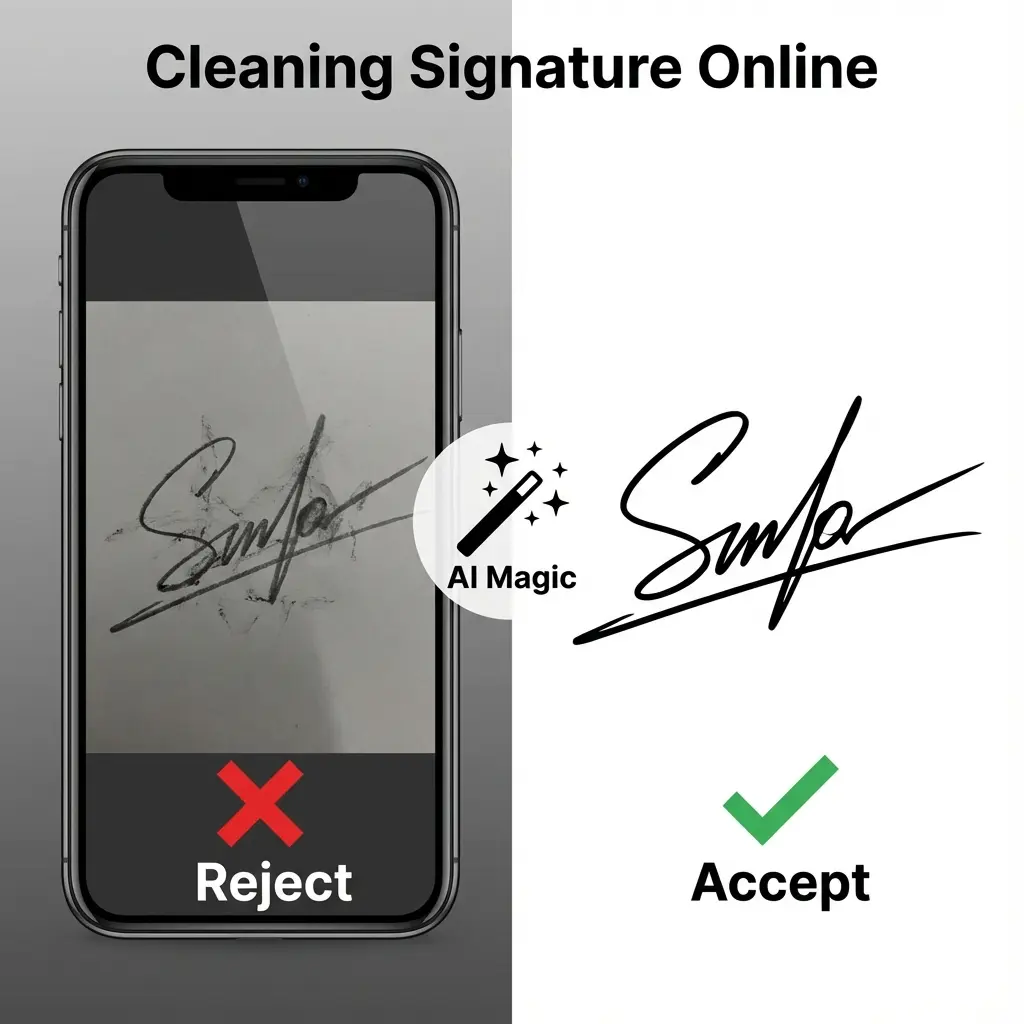
You signed on a white paper. You took a photo with your phone. On your screen, it looks white. But when you upload it to the SSC or IBPS portal, it looks Grey and Dirty compared to the pure white form background. This is called "Shadow Noise". And it causes rejections.
You don't need a scanner. You need to Clean the image.
🖊️ Blue vs Black Ink
SSC & Railways: Accept both Blue and Black ink (Black preferred).
Banking (IBPS/SBI): STRICTLY BLACK INK Only. Don't risk Blue ink.
Cheat Sheet: The Perfect Signature
| Feature | Requirement | Why? |
|---|---|---|
| Paper | Plain White A4 | Ruled/Line paper gets rejected. |
| Pen | Thick Gel Pen | Ball pens look too thin in scans. |
| Background | 100% #FFFFFF White | No grey shadows allowed. |
| Crop | Tight Box | No extra table/bedsheet visible. |
How to Clean Your Signature (Free Tool)
- Click Photo: Go to a bright window. Take a photo of your signature (without flash).
- Open Tool: Go to Signature Cleaner.
- Upload: Select your photo.
- Magic Mode:
- "B&W Enhance": Best for removing bold shadows. Makes ink darker and paper whiter.
- "Original": Keeps color (use only if lighting was perfect).
- Download: Get the cleaned image.
 Signature Background Remover: Before vs After
Pro Tip for E-Mitra
If a customer sends a WhatsApp photo of a signature taken in low light (yellowish), use the "Threshold" slider in our tool. Move it until the yellow vanishes and only black remains.
Technical Details: How it Works
This tool uses a process called "Adaptive Thresholding".
- It analyzes the local brightness of the image (removing shadows).
- It converts pixels to binary (Black or White, no grey).
- This ensures the file size is extremely small (<20KB) which is perfect for uploads.
FAQ: Signature Cleaning
Q: Is this digital signature legal? A: Yes. Can you clean a photo in Photoshop and use it? Yes. This tool does the exact same thing (Thresholding) automatically. It is a digital image of your physical signature, which is valid for online forms.
Q: My signature is too thin after cleaning. Why? A: You likely used a ballpoint pen. The lines are too faint. Always use a Gel Pen or Marker for bold lines that survive the scanning process.
Q: Can I remove the background from a seal/stamp? A: Yes! This tool is excellent for digitizing round stamps (Round Seals). Just upload the photo of the stamp, and it will turn the background white.
Useful Tools
DocSet Team
Experts in Document Processing & Government Exam Specifications. We research official notifications from SSC, UPSC, IBPS, and other bodies to provide accurate, up-to-date image resizing and document preparation guidelines.