On this page

Advertisement
Your exam form needs 8 passport photos. The studio quotes ₹100. Here's what they don't tell you: they're printing your photo on a ₹3 sheet of A4 glossy paper.
You can do the same thing — in 10 seconds, for free — and take that sheet to any colour xerox shop for ₹5.
This tool creates the exact layout. 8 photos. One A4 sheet. Perfect spacing for cutting.
💰 Cost Saving
Professional photo studios charge ₹40-₹100 for 8 passport photos. By printing them yourself on A4 glossy paper, you can get the same quality for just ₹5-₹10 per sheet!
Why Print Passport Photos at Home?
Advantages:
- Cheaper: ₹5 per A4 sheet vs ₹50-₹100 at studios
- Bulk printing: Print 50-100 photos for job applications in one go
- Instant: No waiting, no traveling to photo shop
- Control: Adjust brightness, crop, and quality before printing
- E-Mitra/CSC business: Customers frequently need passport photos
Use Cases:
- Applying for multiple government jobs (SSC, Railways, Banking)
- School/college admission forms
- Visa applications (need 4-6 photos)
- ID card renewals (PAN, Aadhaar, Voter ID)
Advertisement
Standard Passport Photo Sizes in India
| Photo Type | Dimensions (cm) | Dimensions (inches) | Common Use |
|---|---|---|---|
| Passport Size | 3.5 × 4.5 cm | 1.4" × 1.8" | Most government forms, passports |
| Stamp Size | 2 × 2 cm | 0.8" × 0.8" | Small ID cards |
| Postcard Size | 10 × 15 cm | 4" × 6" | NEET, some entrance exams |
This guide focuses on the most common: 3.5cm × 4.5cm passport photos.
How Many Passport Photos Fit on A4?
A4 Paper Size: 21 cm (Width) × 29.7 cm (Height)
Passport Photo Size: 3.5 cm (Width) × 4.5 cm (Height)
Calculation:
- Columns (Width): 21 cm ÷ 3.5 cm = 6 photos (with 0 margin)
- Rows (Height): 29.7 cm ÷ 4.5 cm = 6.6 photos ≈ 6 rows (with 0 margin)
Practical Layout (with 0.5cm margins):
- Optimal: 4 columns × 2 rows = 8 photos per sheet
- This leaves small margins for cutting without wasting photos
📐 Why Not 12 Photos?
Theoretically, you can fit 12 photos (4×3 grid), but cutting becomes difficult and some photos may be trimmed incorrectly. 8-photo layout is the industry standard for clean, easy cutting.
How to Print 8 Passport Photos on A4 (Step-by-Step)
Method 1: Using DocSet (Easiest)
-
Prepare your photo:
- Take a passport-size photo (3.5cm × 4.5cm)
- Ensure white background, clear face
- Save as JPG
-
Open DocSet Print Tool:
- Go to Aadhaar Print Tool
- Select "Passport Photo Grid" mode
-
Upload photo:
- Upload your single passport photo
- Tool auto-creates 8-photo grid on A4 layout
-
Download PDF:
- Download the generated PDF
- Print on A4 glossy paper (200gsm recommended)
-
Cut carefully:
- Use scissors or paper cutter
- Follow the grid lines
Advertisement
Method 2: Using MS Word (Manual)
-
Open MS Word → New blank document
-
Set page to A4:
- Layout → Size → A4 (21cm × 29.7cm)
- Margins → Narrow (0.5cm all sides)
-
Insert Table:
- Insert → Table → 4 columns × 2 rows
-
Set cell dimensions:
- Right-click table → Table Properties
- Set Row height: 4.5 cm (exact)
- Set Column width: 3.5 cm (exact)
-
Insert photos:
- Click inside each cell
- Insert → Picture → Select your photo
- Repeat for all 8 cells
-
Print:
- File → Print
- Select A4 size, Glossy Photo Paper
- Print quality: High (600 DPI recommended)
Best Paper for Passport Photo Printing
| Paper Type | Weight (GSM) | Finish | Cost per Sheet | Best For |
|---|---|---|---|---|
| HP Glossy Photo Paper | 180 GSM | Glossy | ₹8-₹12 | Home printing, budget |
| Epson Premium Glossy | 200 GSM | Glossy | ₹12-₹18 | Professional quality |
| Canon Photo Paper Plus | 260 GSM | Glossy | ₹15-₹25 | Studio-grade prints |
Recommendation: For government form submissions, use 200 GSM glossy paper. It's thick, professional, and doesn't curl easily.
🖨️ Printer Settings
Important: Always set printer to "Photo Quality" or "Best" mode. Normal or Draft mode will produce pixelated, low-quality photos that may be rejected by government offices.
For E-Mitra/CSC Operators
If you run a Common Service Center or E-Mitra kiosk, passport photo printing is a high-demand service:
Pricing Strategy:
- Single photo: ₹10
- 8 photos (1 sheet): ₹40-₹50
- 16 photos (2 sheets): ₹80-₹100
Equipment Needed:
- Inkjet printer with photo printing capability (e.g., Canon Pixma, Epson L series) - ₹8,000-₹15,000
- 200 GSM glossy photo paper (500 sheets) - ₹1,500-₹2,500
- Paper cutter - ₹500-₹1,000
Revenue Potential:
- Cost per sheet: ₹10 (paper + ink)
- Selling price: ₹50 per sheet
- Profit: ₹40 per sheet
- If you print 20 sheets/day = ₹800/day = ₹24,000/month
Advertisement
Summary: Printing 8 passport-size photos on a single A4 sheet is the most economical method for bulk photo printing. Use 200 GSM glossy photo paper, set printer to "Best Quality", and cut carefully along grid lines.
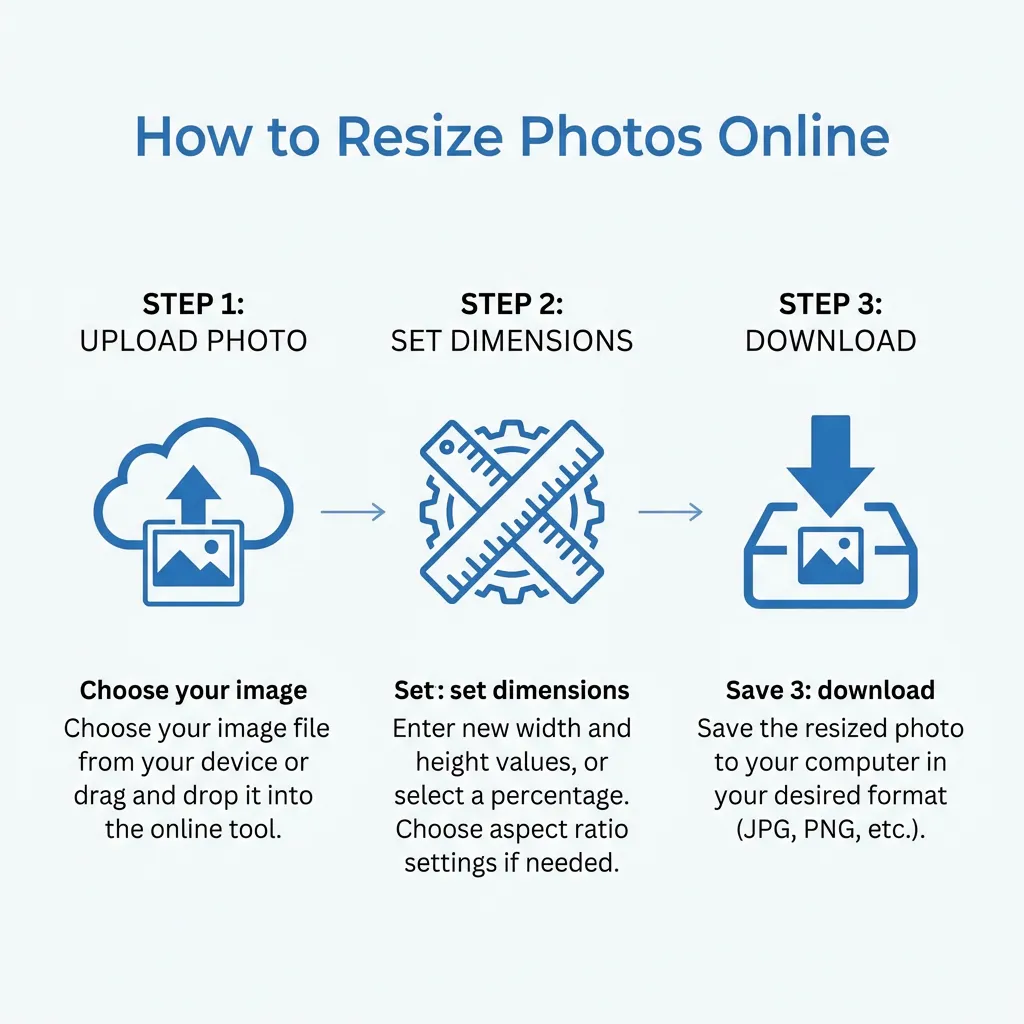
Quick Guide: How to Resize
Advertisement
Advertisement
Copy citation for academic or reference use:
DocSet Team
✓ VerifiedExperts in Document Processing & Government Exam Specifications. We research official notifications from SSC, UPSC, IBPS, and other bodies to provide accurate, up-to-date image resizing and document preparation guidelines.

