On this page

Key Takeaways
Quick summary for busy readers
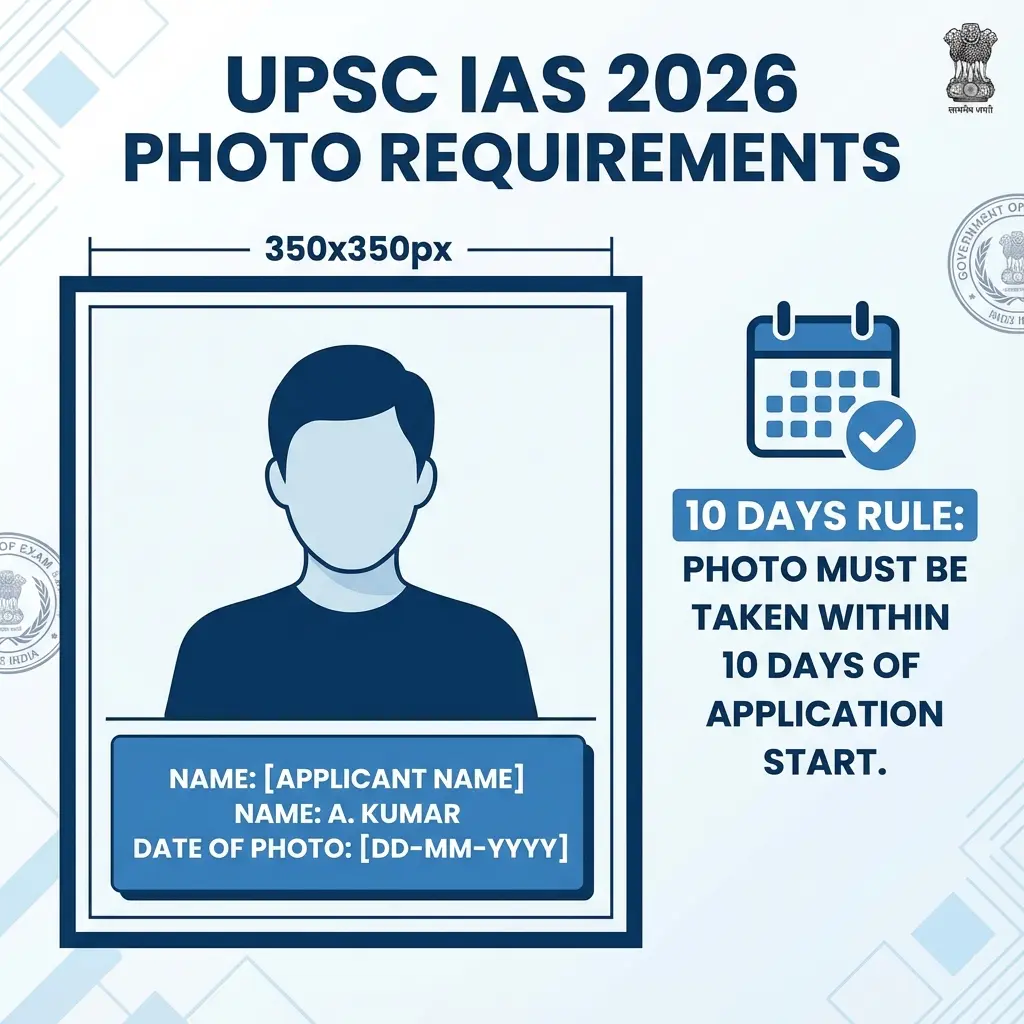
- **Mandatory Requirement**: UPSC CSE 2026 application requires Name and Date on the photo.
- **Strict Format**: Photo must be 350x350 pixels, 20-300 KB, and taken within 10 days.
- **No Glasses**: Spectacles are strictly prohibited in the photograph.
- **Free Tool**: Use DocSet's tool to automatically resize and add the name/date slab.
Quick Action: Need to add Name and Date to your photo for UPSC CSE 2026?
Use our free tool below. It automatically formats your photo to 350x350 pixels and adds the required text slab.
UPSC CSE 2026 Photo Requirements (Official Notification)
The official notification for Civil Services Examination (CSE) 2026 has specific strict rules for photographs. Failure to follow these leads to immediate rejection.
⚠️ Critical Rule: Name & Date
The photograph must have the Candidate's Name and the Date of Photo Taken clearly printed on it.
Detailed Specifications:
- Format: JPG/JPEG.
- Size (KB): 20 KB to 300 KB.
- Dimensions: 350 pixels (Width) x 350 pixels (Height).
- Recency: Photo must not be older than 10 days from the start of the application process.
- Appearance: Face should occupy 3/4th of the space. Look straight at the camera.
How to Add Name and Date to Photo Online (Free)
You don't need Photoshop or heavy editing apps. DocSet's UPSC Date Writer does this in 1 click.
Step-by-Step Guide:
- Select the Tool: Use the UPSC Resizer & Date Writer.
- Upload Photo: Select your recent passport-size photo.
- Enter Details:
- Name: Type your full name as it appears in your application.
- Date: Select the date the photo was taken (must be recent!).
- Adjust: The tool automatically creates a white slab at the bottom and places your text.
- Download: Get the verified JPG file ready for upload.
Common Rejection Reasons in UPSC
- Missing Name/Date: This is the #1 cause of defect status.
- Blurry Name: The text must be legible. Our tool ensures high-contrast black text on a white background.
- Wrong Date: Do not use a date older than 10 days.
- Glasses/Spectacles: NOT ALLOWED. UPSC has strictly banned spectacles in photos. Remove them before clicking.
Frequently Asked Questions (FAQs)
Frequently Asked Questions
No. The notification clearly states the photo must be taken within 10 days of the application start date.
Yes, absolutely mandatory. Without it, your form will be marked defective.
Yes, as long as the background is plain (white/light) and the lighting is good. Use the rear camera, not a selfie.
The background should be plain white or off-white. <ToolCard toolId="upsc-ias" title="Resize for UPSC Now" /> --- **Summary:** Do not risk your IAS attempt with a bad photo. Use the tool above to add your Name and Date instantly and comply with UPSC CSE 2026 rules.
Copy citation for academic or reference use:
DocSet Team
✓ VerifiedExperts in Document Processing & Government Exam Specifications. We research official notifications from SSC, UPSC, IBPS, and other bodies to provide accurate, up-to-date image resizing and document preparation guidelines.