On this page
You did the hard work. You studied for 12 hours a day, mastered reasoning, and memorized current affairs. Then, you sat down to fill the form, clicked "Upload," and saw the nightmare:
"Error: Image dimensions should be between 20KB and 50KB."
Frustrating, right? 😡
What's worse is the fear: "What if I mess this up? What if my hall ticket never comes?"
We have been there. Every year, lakhs of forms for SSC, UPSC, and Banking exams are rejected specifically due to bad photos. Not because candidates weren't smart, but because the JPG file was 51KB instead of 50KB.
This guide solves that permanently. We combine empathetic advice with proven technical specs so your form gets accepted instantly.
⚠️ The 2026 Golden Rule
If the notification says "White Background," it means pure white. Not a grey wall, not a blue curtain. 90% of rejections happen here.
Cheat Sheet: Standard Requirements (2026)
We have compiled the exact specifications for major exams in these tables. This structured data is the "Holy Grail" for getting your dimensions right.
1. Photo Dimensions & Size
| Exam / Portal | Dimensions (W x H) | File Size | Format | Special Rule |
|---|---|---|---|---|
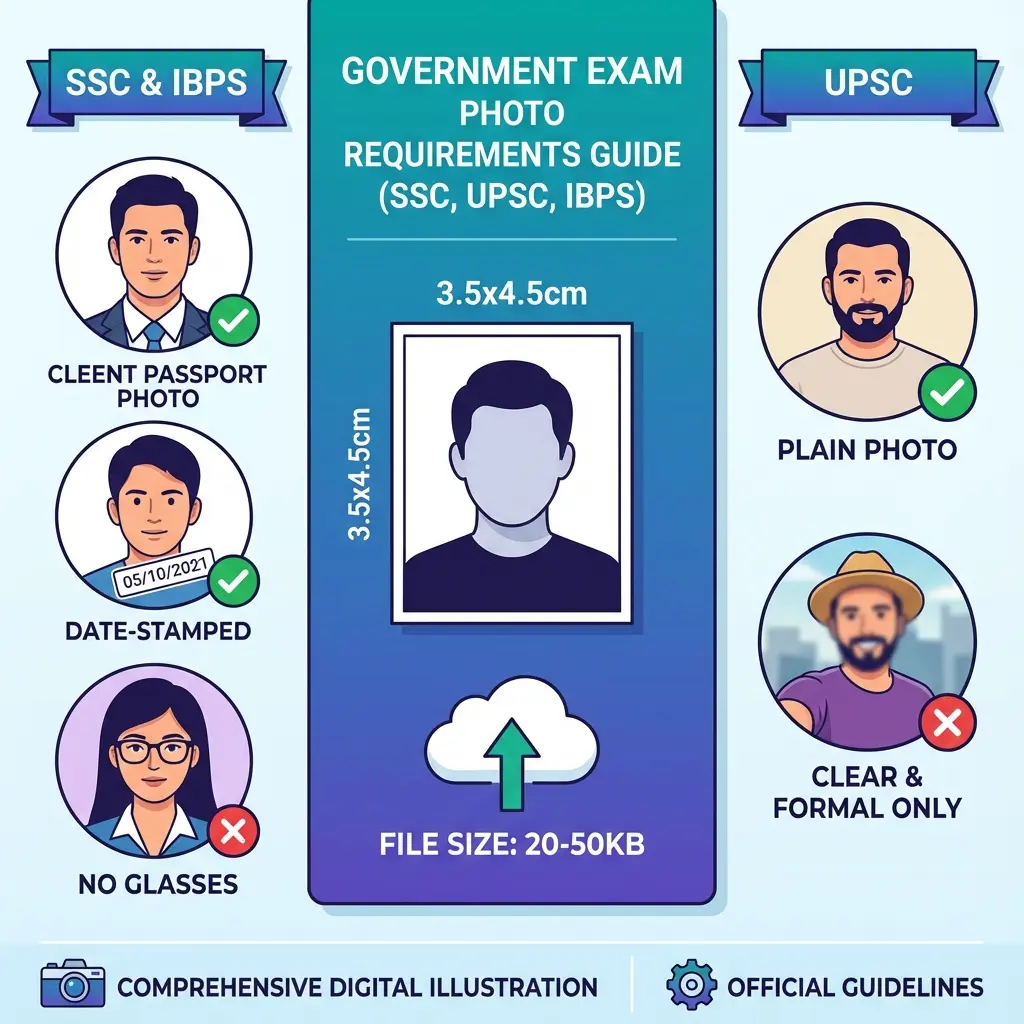
| SSC (CGL, CHSL, MTS) | 3.5cm x 4.5cm | 20 – 50 KB | JPEG | No Spectacles Allowed |
| UPSC (CSE, NDA) | 3.5cm x 4.5cm | 20 – 300 KB | JPEG | Face must cover 70% area |
| IBPS / SBI (Bank) | 3.5cm x 4.5cm | 20 – 50 KB | JPEG | White Background Mandatory |
| NTA (JEE / NEET) | 3.5cm x 4.5cm | 10 – 200 KB | JPEG | Both ears clear visible |
| Passport Seva | 3.5cm x 4.5cm | 10 – 300 KB | JPEG | Square Aspect Ratio |
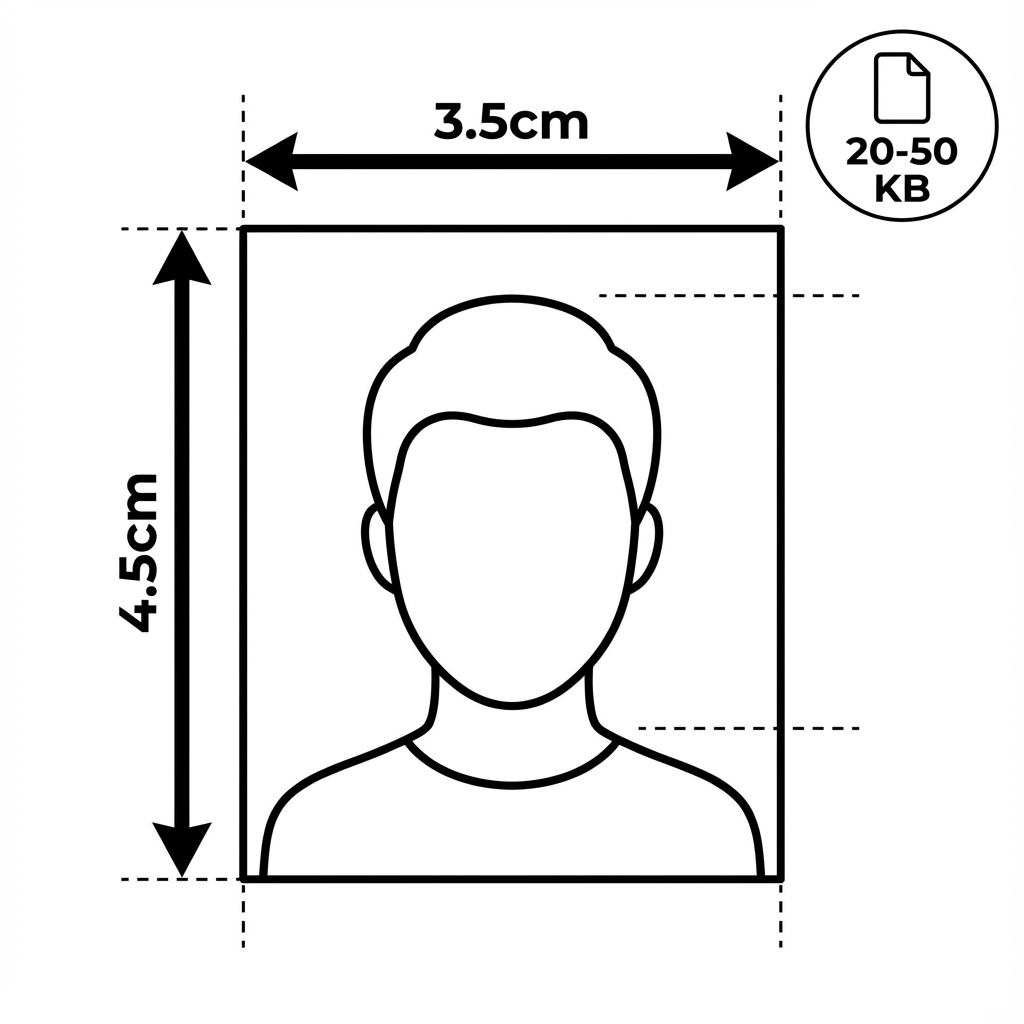 Standard Passport Photo Dimensions: 3.5cm x 4.5cm
Crucial Warning: If your file is 51 KB and the limit is 50 KB, the computer WILL reject it. There is no grace margin. Use our tool to hit exactly 45-48 KB for safety.
2. Signature Dimensions
| Exam / Portal | Dimensions (px) | File Size | Ink Color |
|---|---|---|---|
| SSC | 200w x 100h px | 10 – 20 KB | Black Ink |
| UPSC | 350w x 350h px | 20 – 300 KB | Black Ink |
| Banking | 140w x 60h px | 10 – 20 KB | Black Ink Only |
| NTA | 150w x 100h px | 4 – 30 KB | Black/Blue Ink |
How to Fix Your Photo (The Easy Way)
You don't need Photoshop. We built a specialist tool for this "Sarkari" use case that handles the complex math for you.
Step-by-Step Guide
- Take a Valid Photo:
- Stand against a white wall.
- Use daylight (morning light is best).
- NO Selfies: Ask someone to click from 3-4 feet away to avoid "fish-eye" distortion of your nose/ears.
- Open the Tool:
- Go to our Universal Image Resizer.
- Select & Resize:
- Upload your raw mobile photo.
- Select your exam (e.g., "SSC") from the dropdown. Only the width/height will be locked.
- The Magic Slider: Drag the quality slider until the file size is green (e.g., 42KB).
- Download:
- Save it. It is now technically perfect for the bot.
The "Date on Photo" (DOP) Confusion
Many students panic: "Do I need to hold a slate?" "Do I need computer skills?" No. Digital editing is allowed for adding the name/date strip, provided you don't touch your facial features.
Quick Fix:
- Resize your photo first.
- Upload it to our Name & Date Tool.
- Type Name & DOP. It auto-generates the black/white slate at the bottom.
Pro Tip: Always put a date within 3 months of the notification. Old dates = Rejection.
Signature Mistakes (Don't Do This)
Your signature is your identity proof.
- Mistake #1: Capital Letters. Writing "RAHUL" is not a signature. It will be rejected.
- Mistake #2: Blue Ink for Banks. IBPS scanners often fail to pick up light blue ink. Always use Black Gel Pen.
- Mistake #3: CamScanner Objects. Don't upload a picture of a page with other words visible. Crop TIGHTLY.
Use the Signature Cleaner to remove the dull grey page background and make it pure white/transparent.
Recommended Gear
For cyber cafes and serious aspirants, a dedicated scanner solves lighting issues.
FAQ: Quick Answers
Q: My photo is 150KB. How do I make it 50KB? A: Use our compression tool. Do not just crop it; "compression" maintains dimensions while reducing file weight specifically for portals.
Q: Can I wear specs in the photo? A: NO. For SSC and most new exams, spectacles are strictly banned. Even if you wear them 24/7, take them off for the photo.
Q: Is "Date of Photo" mandatory for everyone? A: Check your specific notification. SSC usually requires it. Railways often don't. When in doubt, adding a small discreet date at the bottom is safer than leaving it blank if unsure.
Quick Tools Access
DocSet Team
Experts in Document Processing & Government Exam Specifications. We research official notifications from SSC, UPSC, IBPS, and other bodies to provide accurate, up-to-date image resizing and document preparation guidelines.