On this page
You have spent two years preparing for JEE. You mastered Rotational Dynamics, memorized Inorganic Chemistry trends, and skipped every family function. The last thing you want is a "Form Rejected" email from NTA just days before the exam.
In 2025, thousands of students panicked because their photos were marked "Discrepant". NTA's new system uses AI Facial Recognition to match your upload with your live photo at the center.
If there is a mismatch (due to a selfie angle, filters, or hidden ears), you won't be allowed to sit for the exam. No amount of arguing at the center will help. The computer decides your fate.
Don't panic. This guide breaks down exactly what NTA wants, in simple terms.
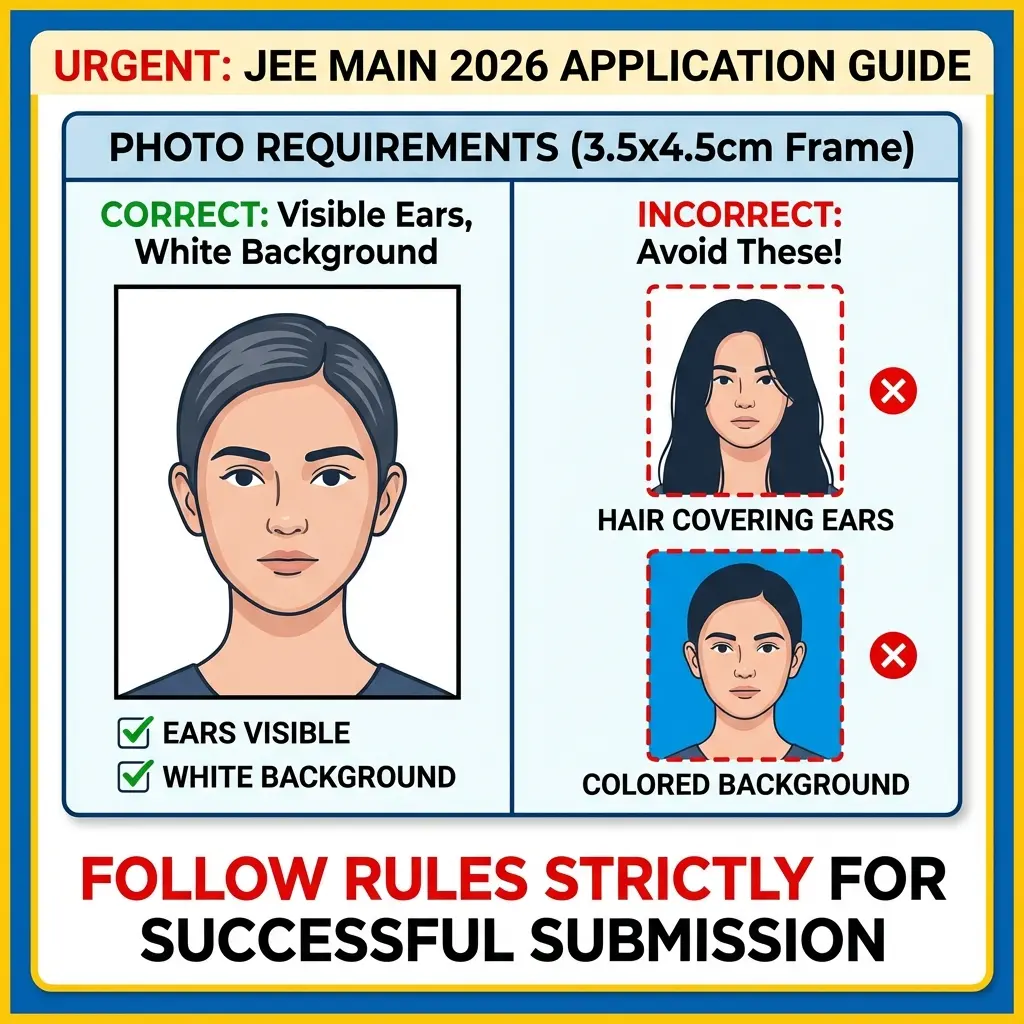
⚠️ NTA’s Golden Rule: The Ears
Both your ears must be clearly visible. Do not let your hair cover them. This is the #1 reason for AI mismatch errors. Tuck your hair behind your ears before clicking.
Cheat Sheet: JEE Main 2026 Specifications
NTA's information brochure is 50 pages long. We extracted the only page you need.
1. Photo Requirements
| Feature | NTA Rule | Strictness |
|---|---|---|
| Dimensions | 3.5 cm x 4.5 cm | High |
| File Size | 10 KB to 200 KB | Mandatory |
| Background | WHITE ONLY | Blue/Red not allowed |
| Coverage | Face & Shoulders (80% Face) | Essential |
| Ears | Both Visible | Critical for AI |
| Glasses | Avoid (Reflections reject forms) | Risky ⚠️ |
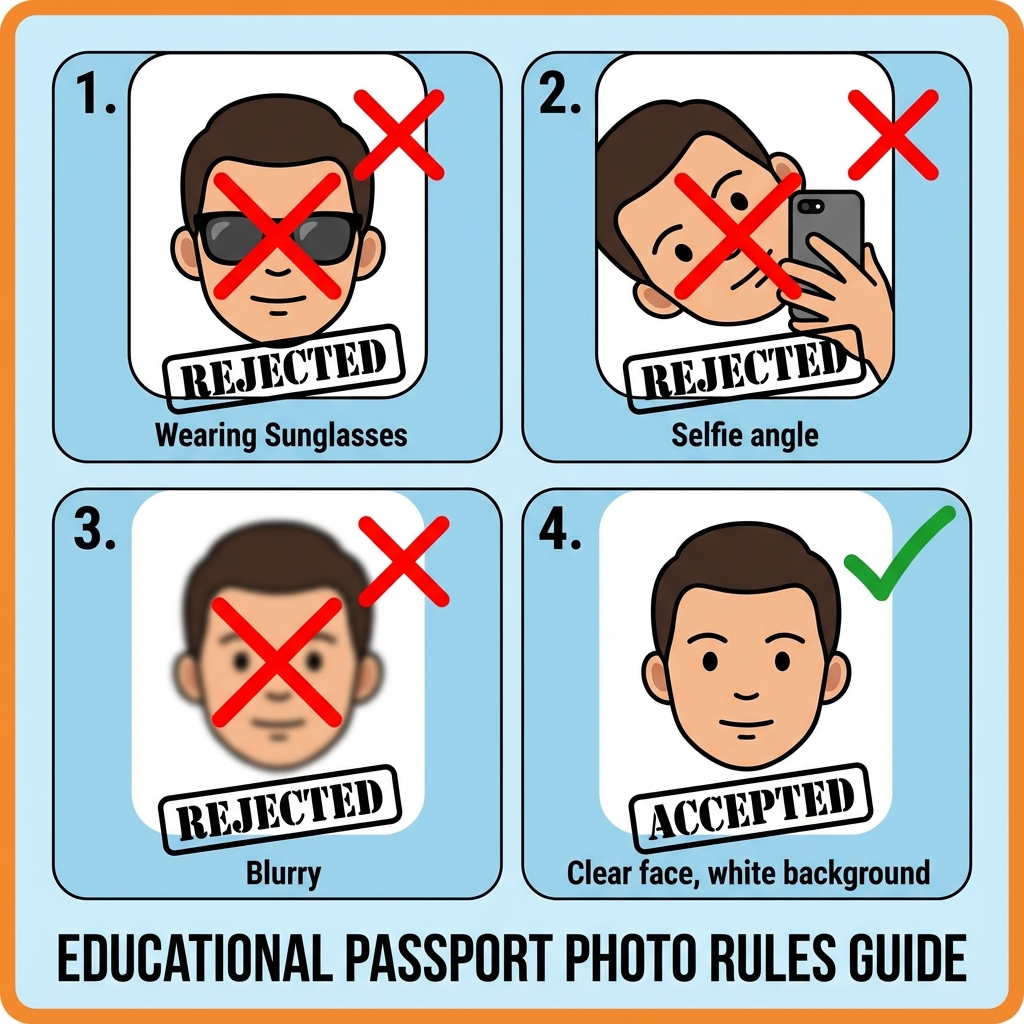 JEE Main Photo Rules: Do's and Don'ts
2. Signature Requirements
| Feature | NTA Rule |
|---|---|
| Dimensions | 3.5 cm x 1.5 cm (preferred) |
| File Size | 4 KB to 30 KB |
| Ink | Black Ink on White Paper |
| Style | Running hand (Not Capitals) |
How to Fix JEE Photos (The NTA Way)
Do not use filters. Do not use AI face generators. NTA wants the real you.
Step 1: The Perfect Click
- Find a White Wall (or hang a white bedsheet).
- Tie your hair back if it covers your ears.
- Ask your mom/sibling to click from eye level.
- Tip: Do NOT take a selfie. It distorts facial geometry.
Step 2: The Resizer
- Open the specialized JEE Main Photo Resizer.
- Upload: Select your photo.
- Adjust: The tool forces the 3.5x4.5cm ratio and keeps the size under 200KB.
- Download.
That's it. Your photo is now exam-ready.
Common Mistakes to Avoid
- "Styled" Photos: Side poses or "looking away" are for Instagram, not NTA. Look straight into the lens.
- Dirty Scanning: If scanning a physical photo, ensure there are no dust specs on the face area.
- Caps/Goggles: Strictly prohibited.
Recommended Gear
A good printout of your admit card and photo ensures peace of mind.
FAQ: Quick Answers
Q: Can I use the same photo for Session 1 and Session 2? A: Yes! In fact, it is recommended to keep 6-8 physical copies of the same photo for the exam center attendance sheet.
Q: I wear a turban/hijab. Is that allowed? A: Yes, religious headwear is allowed, but it must not cover your face. Your chin to forehead and both ears (if possible) should be visible. Use the resizer to ensure face coverage is 80%.
Q: My photo is 12KB. Is it too small? A: As long as it is above 10KB and clearly visible, it is accepted. Don't worry about making it exactly 200KB.
Q: What is the age limit for JEE 2026? A: Ensure you meet the Date of Birth criteria guidelines carefully.
Quick Tools
DocSet Team
Experts in Document Processing & Government Exam Specifications. We research official notifications from SSC, UPSC, IBPS, and other bodies to provide accurate, up-to-date image resizing and document preparation guidelines.