On this page
You scanned the customer's Marksheet perfectly. You try to upload it to the Rajasthan SSO Portal (for Scholarship or Recruitment). Result? "Invalid File Format".
The portal doesn't explain why. The reason is simple: SSO does NOT accept PDF files. It wants a JPG image, and importantly, it wants it under 100KB (sometimes 50KB).
If you convert it using normal tools, the text becomes blurry and unreadable. This tool fixes that.
⚠️ Why Normal Converters Fail
Most converters shrink the file by reducing quality. For SSO, the Token Number on Bonafide/Caste certificates MUST be readable. Our tool keeps **300 DPI clarity** while reducing size.
Cheat Sheet: SSO Upload Rules
| Requirement | The SSO Rule | How to Fix |
|---|---|---|
| File Type | JPG / JPEG Only | Convert PDF using tool below |
| File Size | 50 KB - 100 KB | Auto-compressed by tool |
| Resolution | Readable Text | We use High DPI scaling |
| Filename | No Spaces/Chars | Save as doc1.jpg |
3-Step Solution for Kiosks
Don't waste 10 minutes in Photoshop.
Step 1: Open the Tool
Go to the SSO PDF to JPG Converter.
Step 2: Upload Files
- You can select multiple PDFs (Marksheets, Aadhaar, Caste Cert).
- The tool processes them in batch.
Step 3: Download & Upload
- The tool gives you a ZIP or individual JPGs.
- They are already <100KB.
- Upload directly to the portal. Success. ✅
Pro Tip: Scanner Settings
If you scan directly as JPG, set your scanner to 150 DPI.
- 300 DPI = ~500KB (Too Big for SSO)
- 150 DPI = ~150KB (Perfect for compression)
- 75 DPI = ~50KB (Too Blurry)
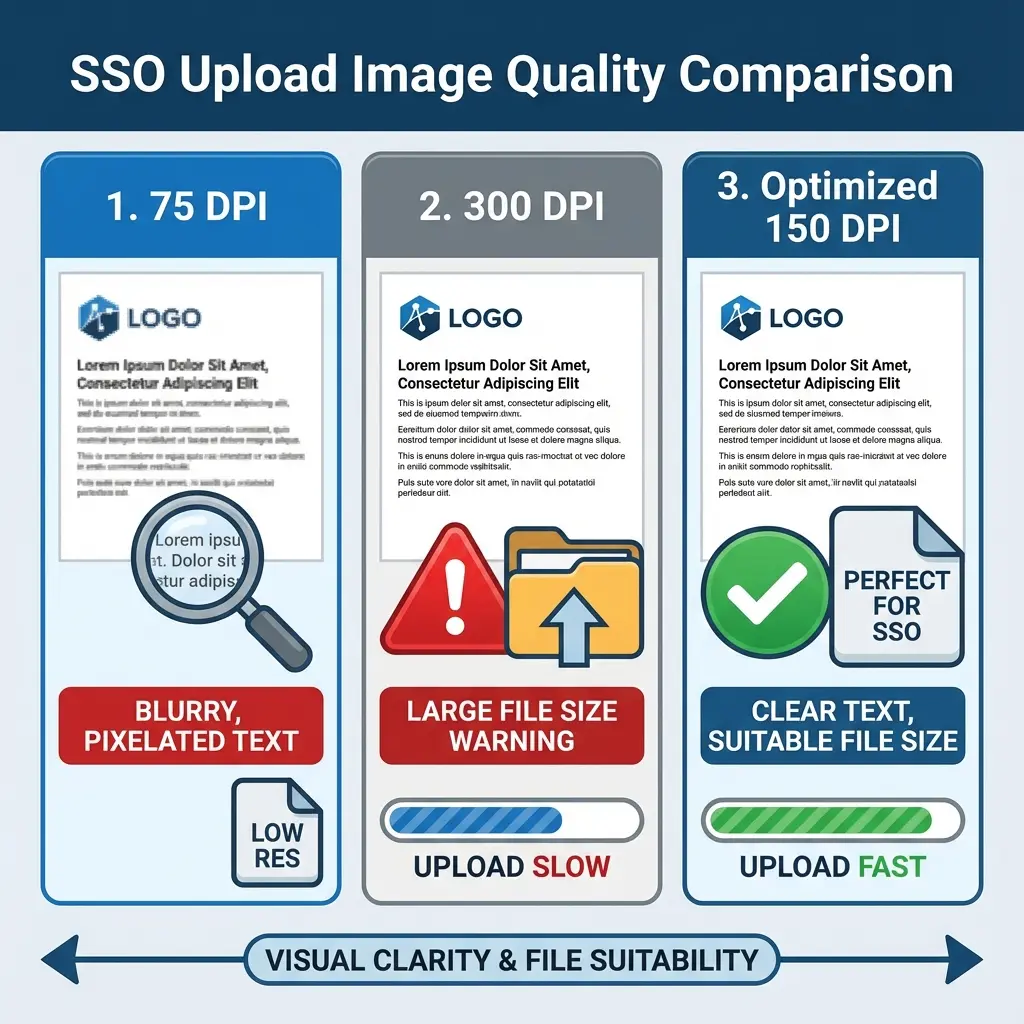 SSO Upload Quality Guide: DPI vs File Size
Troubleshooting
If you still see errors:
- Clear Cache: Press Ctrl+Shift+R safely.
- Rename File: Ensure file name is simple (e.g.
doc.jpg). - Use Chrome: SSO portal works best on Google Chrome.
Useful E-Mitra Tools
FAQ: SSO Uploads
Frequently Asked Questions
It means you are trying to upload a PDF or PNG. SSO strictly accepts **JPG/JPEG** files only. Use this tool to convert.
The standard conversion creates large files. Our tool automatically compresses it to **under 100KB** so it's accepted instantly.
Yes. Unlike other compressors that blur everything, we use intelligent compression to keep text sharp for verification.
Copy citation for academic or reference use:
DocSet Team
✓ VerifiedExperts in Document Processing & Government Exam Specifications. We research official notifications from SSC, UPSC, IBPS, and other bodies to provide accurate, up-to-date image resizing and document preparation guidelines.