On this page

Advertisement
The most frustrating error on any Government Portal:
"File size exceeds limit. Max allowed: 200 KB."
You scoured the internet, used "Online Compressors", but they made your document so blurry that the letters are unreadable. Or they didn't reduce the size enough (205 KB is still rejected!).
You need a compressor tuned for Indian Government Portals.
Advertisement
📉 Smart Compression
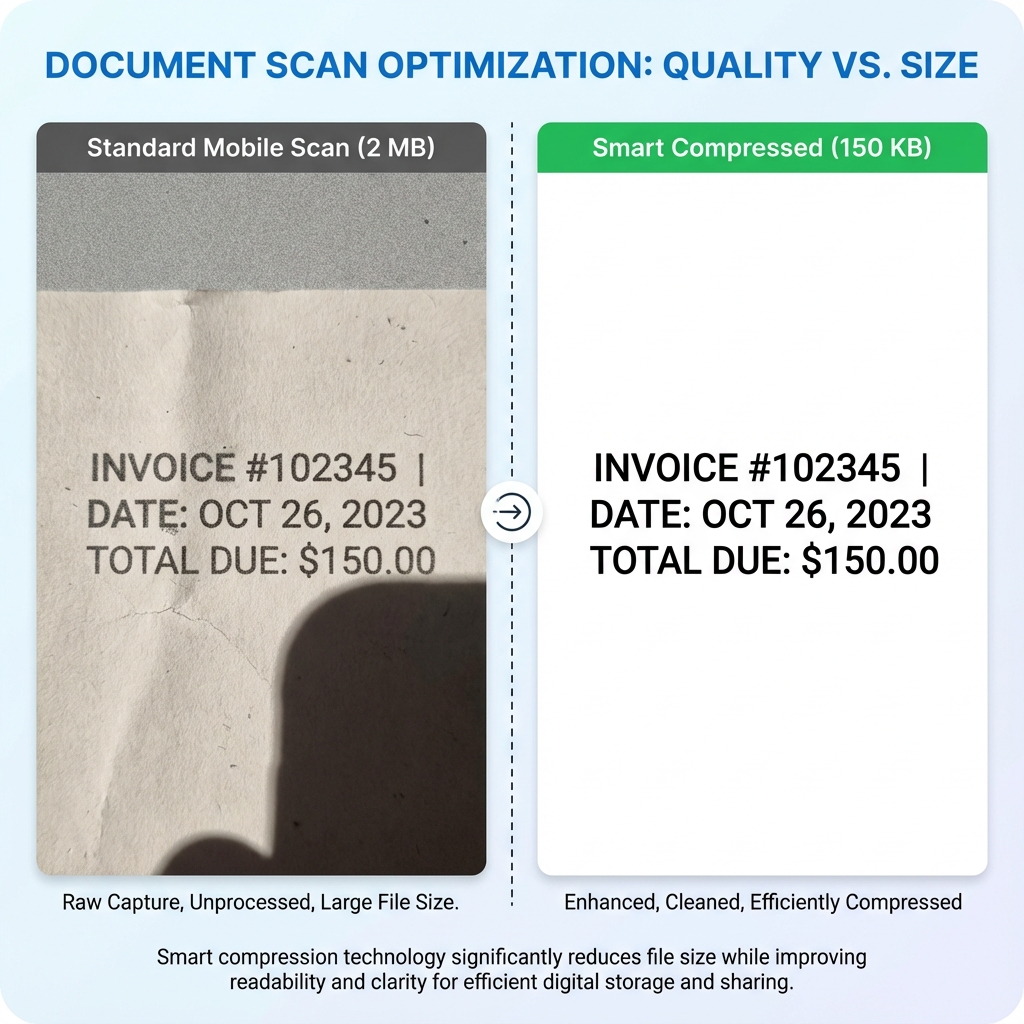
Our tool doesn't just "blur" the image. It removes invisible data (metadata, font layers) to reduce size while keeping the Black Text sharp. This is critical for verification.
Cheat Sheet: Portal Limits (2026)
| Portal Name | Max Size | Document Type |
|---|---|---|
| Jan Aadhaar | 200 KB | Income/Caste Cert |
| SSC CGL/CHSL | 300 KB | Marksheets |
| Passport Seva | 300 KB | Generic Docs |
| UPSC (DAF) | 1 MB | Scan Copies |
| SBI / IBPS PO | 500 KB | Hand Written Declaration |
Advertisement
How to Compress to Exact Size
- Open Tool: Go to PDF Compress Tool.
- Upload: Select your heavy PDF (e.g., 2 MB).
- Select Level:
- Low Compression: Reduces by 20% (Best Quality).
- Strong Compression: Reduces by 70% (Perfect for 200KB limit).
- Compress: Click the button.
- Result: Download the lighter file.
Advertisement
Why is my PDF so big? (The "Phone Cam" Problem)
If you "Scan" documents using your phone camera (CamScanner etc.), it takes a photo in High Definition (12 Megapixels).
- Texture: It captures paper fiber and table texture.
- Shadows: It captures uneven lighting.
- Result: A simple A4 page becomes 5 MB.
Our tool identifies these "wasteful" pixels and removes them, bringing the size down to ~200KB.
FAQ: Compression Doubts
Useful Tools
Advertisement
Advertisement
Frequently Asked Questions
No. We use "Smart Compression" which preserves the edges of text while blurring the background noise. Your document will remain 100% legible for official verification.
If "Strong Compression" isn't enough, try cropping the PDF first to remove extra borders (table background etc), or convert it to JPG using our PDF to JPG Tool, resize it, and convert back. ---
Copy citation for academic or reference use:
DocSet Team
✓ VerifiedExperts in Document Processing & Government Exam Specifications. We research official notifications from SSC, UPSC, IBPS, and other bodies to provide accurate, up-to-date image resizing and document preparation guidelines.


